Automatic Email Archiving for Compliance
Every email automatically backed up. Clean filenames. Searchable IDs extracted. Full .MSG preserved. Never dig through your inbox during an audit again.
Email Archiving Shouldn't Be This Hard
Most professionals are one audit away from disaster
Hours Lost During Audits
Searching through years of emails while auditors wait. No system, no structure, no quick answers.
Lost Emails, Lost Clients
Critical client communications vanish. No backup. No record. No way to prove what was said.
Broken File Systems
Special characters in subject lines corrupt backups. Slashes, quotes, and colons breaking everything.
Everything You Need for Compliance
Enterprise-grade archiving without the enterprise price
Auto-Save Every Email
Every incoming and outgoing email automatically archived to your secure folder. Zero manual work.
Clean Filenames
Special characters automatically stripped. No more corrupted backups or broken file systems.
Searchable IDs
Reference numbers and IDs extracted from email body into filename for instant search.
Full .MSG Preserved
Complete email with all attachments, metadata, headers, and formatting intact.
Any Email Provider
Works with Outlook, Gmail, Microsoft 365, IMAP—whatever you currently use.
Save Anywhere
Local drive, OneDrive, Dropbox, Google Drive, NAS, network share—your choice.
Configurable Age Threshold
Only archive emails older than X days. Keep recent emails in your inbox, auto-archive the rest.
Searchable Audit Index Team+
On Team, Business, and On-Premise plans, every save is also logged to a local SQL index — mailbox, folder, filename, and save date — so finding an email across multiple mailboxes is a quick lookup instead of a folder-by-folder search. Runs on your own network, alongside the archiving engine.
Live in 2 Weeks. Zero Maintenance.
Set it once, forget it forever
Quick Signup
Sign up online and we'll set you up within 2 weeks — secure access via app passwords, never your main credentials.
Automatic Archiving
Every email automatically saved with clean filenames and extracted IDs. You choose where.
Sleep Soundly
Runs 24/7 with zero intervention. Every email archived. Full compliance. Peace of mind.
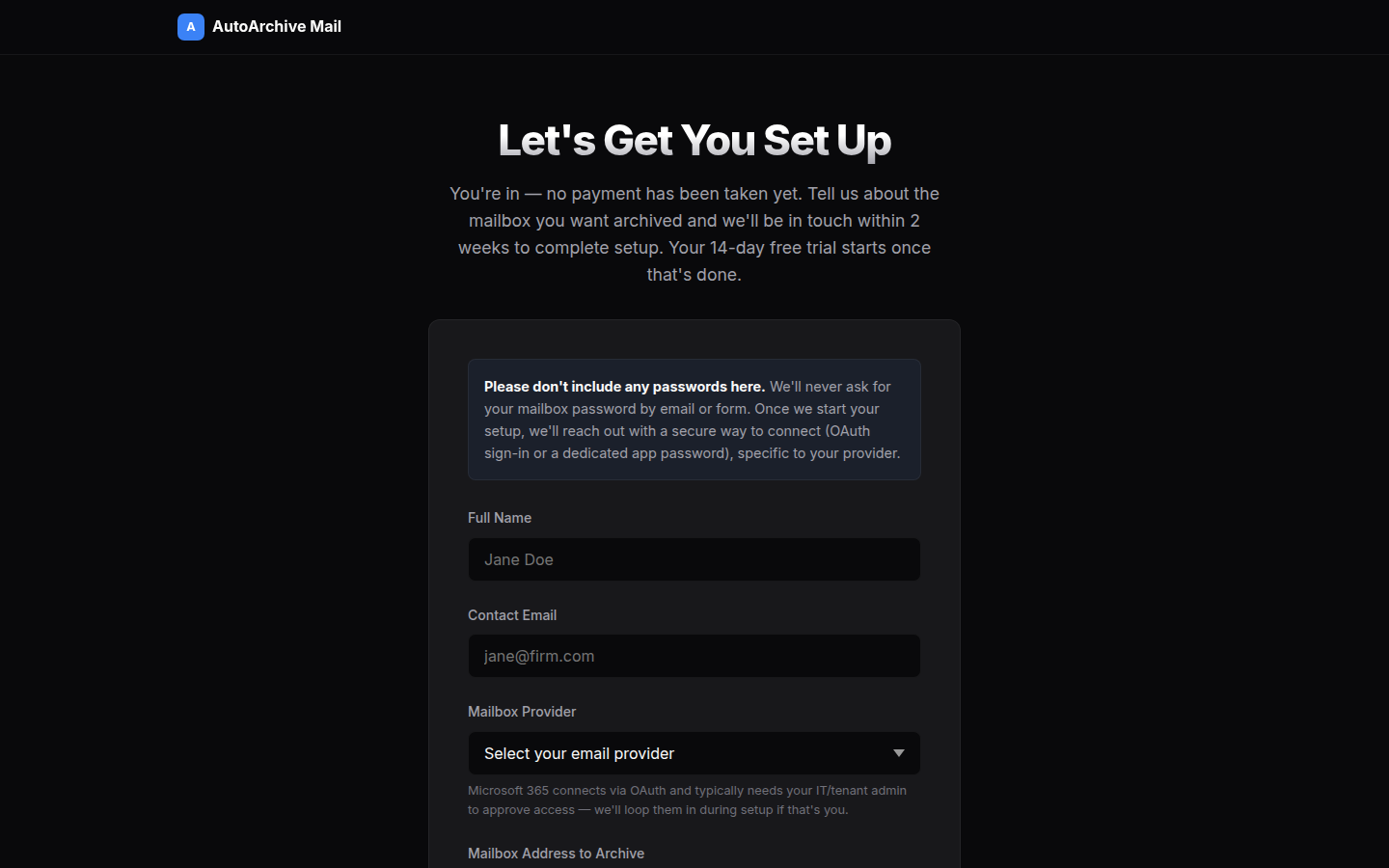
The real signup form — no dashboard, no cloud storage of your email content.
Trusted By Compliance-Focused Teams
Feedback from two separate self-serve Team plan customers — different business units at the same bank, unrelated to the bespoke enterprise build described below.
"Finally, I don't dread Monday mornings anymore. I'd been manually going through the mailbox every morning for nearly two years, dragging emails into the right folders. It was the first thing I did every day and easily chewed up 45 minutes before I'd even had a coffee.
Now I come in, the tool has already run. If I need to track something down — say a customer escalation from three weeks ago — I just check the audit database and it tells me exactly where that email ended up and when it was moved.
Subject lines with slashes, colons, or quotes used to mangle the filename or silently skip the email entirely. That doesn't happen anymore. I'd estimate I get back close to 3–4 hours a week that I'm now putting into actual case work."
"A proper time-saver once you get used to it. We manage a high volume of emails across a few different boxes, and keeping on top of archiving was always one of those jobs nobody loved but everybody had to do.
Now I can filter the audit log by email box and folder name and it comes straight up — subject, date received, exactly where it was saved. That alone has made a difference on audit days.
It's not perfect — Outlook can only reliably process a batch of around 300 emails before it needs a nudge. When that happens, the app automatically kills Outlook and reruns itself. But compared to doing it all manually, it's night and day."
Simple, Transparent Pricing
No hidden fees. No long contracts. Cancel anytime.
- 1 mailbox
- Unlimited emails
- 24/7 automation
- Runs on your own network
- Email support
- Up to 5 mailboxes
- Unlimited emails
- 24/7 automation
- Runs on your own network
- Priority support
- Custom ID extraction
- Searchable audit index across mailboxes
- Up to 20 mailboxes
- Unlimited emails
- 24/7 automation
- Runs on your own network
- Phone support
- Custom integrations
- Searchable audit index across mailboxes
- Unlimited mailboxes
- Runs on your own server or network
- Data never leaves your environment
- Message ID filenames for instant retrieval
- Searchable audit index across mailboxes
- Dedicated setup & support
All plans are billed in USD. AUD and GBP figures shown are an approximate reference at a rough exchange rate (1 USD ≈ 1.50 AUD, 1 USD ≈ 0.80 GBP) and are not the amount charged.
Common Questions
How long does setup take?
Sign up online and we'll email you within 2 weeks to complete your setup. Your 14-day free trial starts once that's done — you're not billed until after that.
Is my data secure?
Yes. AutoArchive Mail runs on your own network, not ours. We connect via OAuth for Microsoft 365, or an app-specific password for Gmail and other IMAP providers — your main account password is never requested. All data stays on your own storage; we never host or hold your emails.
What email providers work?
Outlook, Gmail, Microsoft 365, and any IMAP-compatible email. If you can access it, we can archive it.
Can I cancel anytime?
Yes. No long-term contracts. Cancel anytime and your archived emails stay exactly where they are.
Need Custom Email Automation?
We build bespoke email automation that eliminates manual inbox work. If your team is spending hours reading, sorting, or extracting data from emails—we can automate it.
This was a bespoke, custom-built enterprise engagement for a Big Four Australian bank — a separate, one-off arrangement distinct from the standard self-serve AutoArchive Mail plans described on this page.
45 Shared Mailboxes. On Their Network. Zero Cloud.
This client needed 45 shared email boxes backed up nightly to a secure internal disk — with every email instantly retrievable for compliance and audit without a database or search tool.
Before AutoArchive, this was done by hand — someone manually saving each email, stripping special characters from subject lines so the filesystem wouldn't choke on them. It was tedious enough that it was always the last job of the day, and usually didn't get done at all. By the time we started, the backlog across the 45 mailboxes was running to roughly 40,000 emails per box.
We delivered AutoArchive as a self-contained application deployed directly on their network. Every email is saved with its unique message ID baked into the filename. Finding any email is a single file search — no software, no index, no waiting.
What We Automate
Complaint & Sentiment Detection
AI flags complaints, urgent requests, or negative sentiment across multiple inboxes
Data Extraction & Validation
Pull attachments, cross-reference reports, validate data automatically
Smart Routing & Categorisation
Auto-tag, sort, and route emails to the right team or system
Report Generation
Transform inbox data into dashboards, spreadsheets, or Power Apps
Ready to Stop Losing Emails?
Start your 14-day free trial, or book a demo to see it in action first.
Book Your Demo